 V1Journey
V1Journey
V1Journey
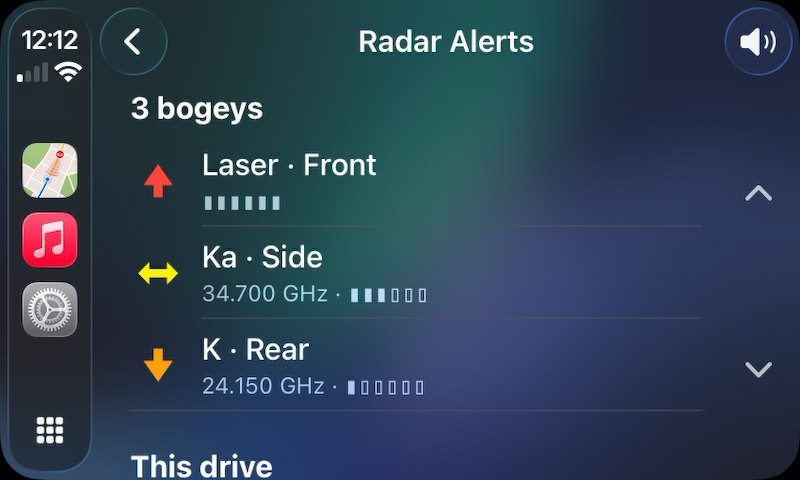
Turn-by-turn navigation for iPhone and CarPlay with your Valentine One Gen2 built in. Every alert on the map with band, frequency and direction — and lockout zones shaped like the road, so the door opener you pass every morning stops shouting at you.
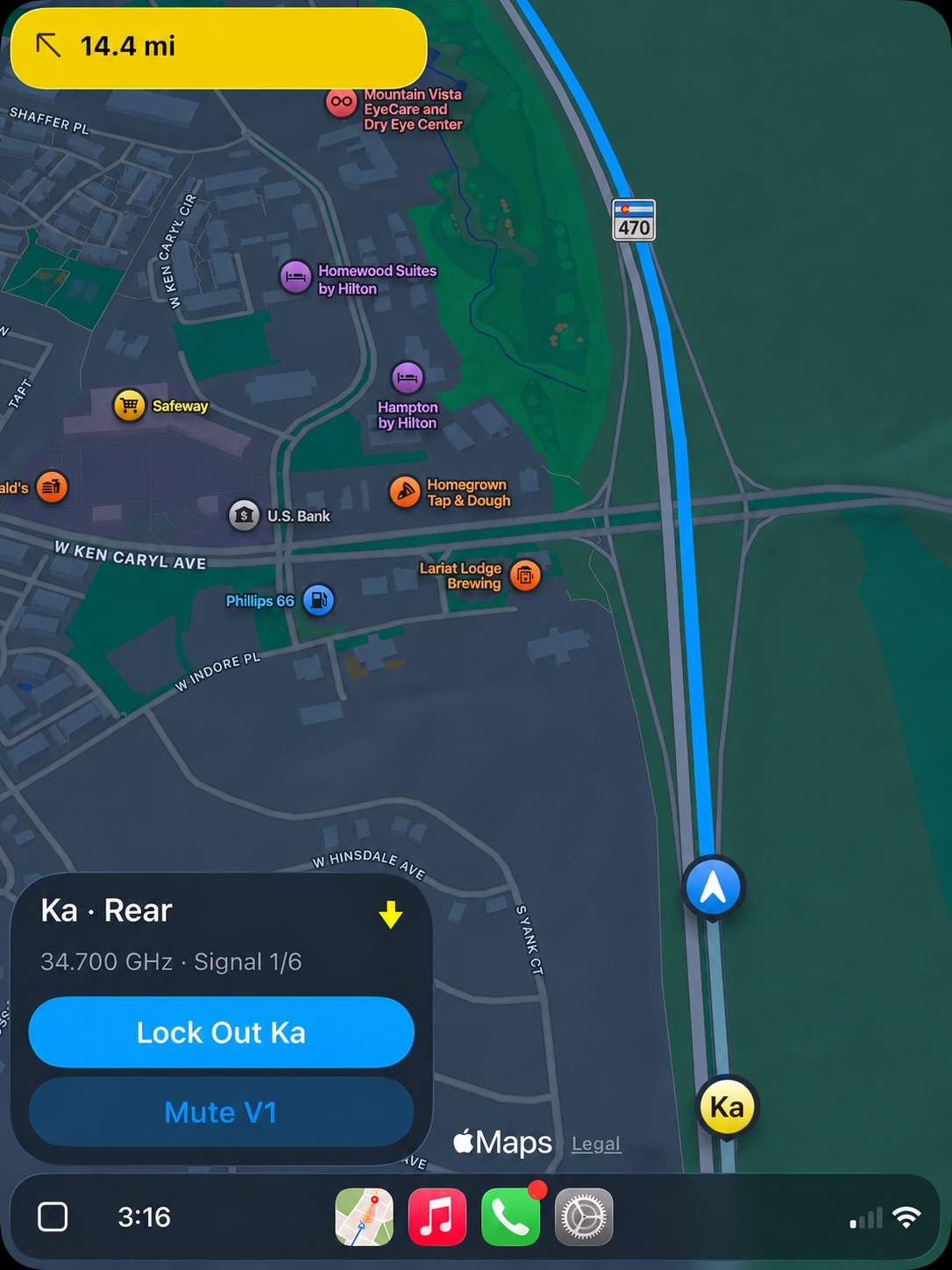
Turn-by-turn guidance on Apple's MapKit routing, alternate routes with a real arrival clock on each, traffic-aware ETA that keeps up with the drive, and automatic rerouting. Full CarPlay — the car and the phone share one navigation engine, so a route started on either continues on the other.
Every alert pinned to the map where you first picked it up. Laser, Ka, K, Ku and X, frequency to three decimals, six-level per-band signal strength, and a row per simultaneous alert when three sources arrive at once.
Lockout zones that follow the shape of the road and reshape themselves as you drive it again. Speed-aware muting. K-band out-of-box filtering. Auto-snooze for a false you've already dealt with.
Everyone in this category has "lockouts." They're almost always a radius — a circle dropped on a map, swallowing every side street and driveway inside it.
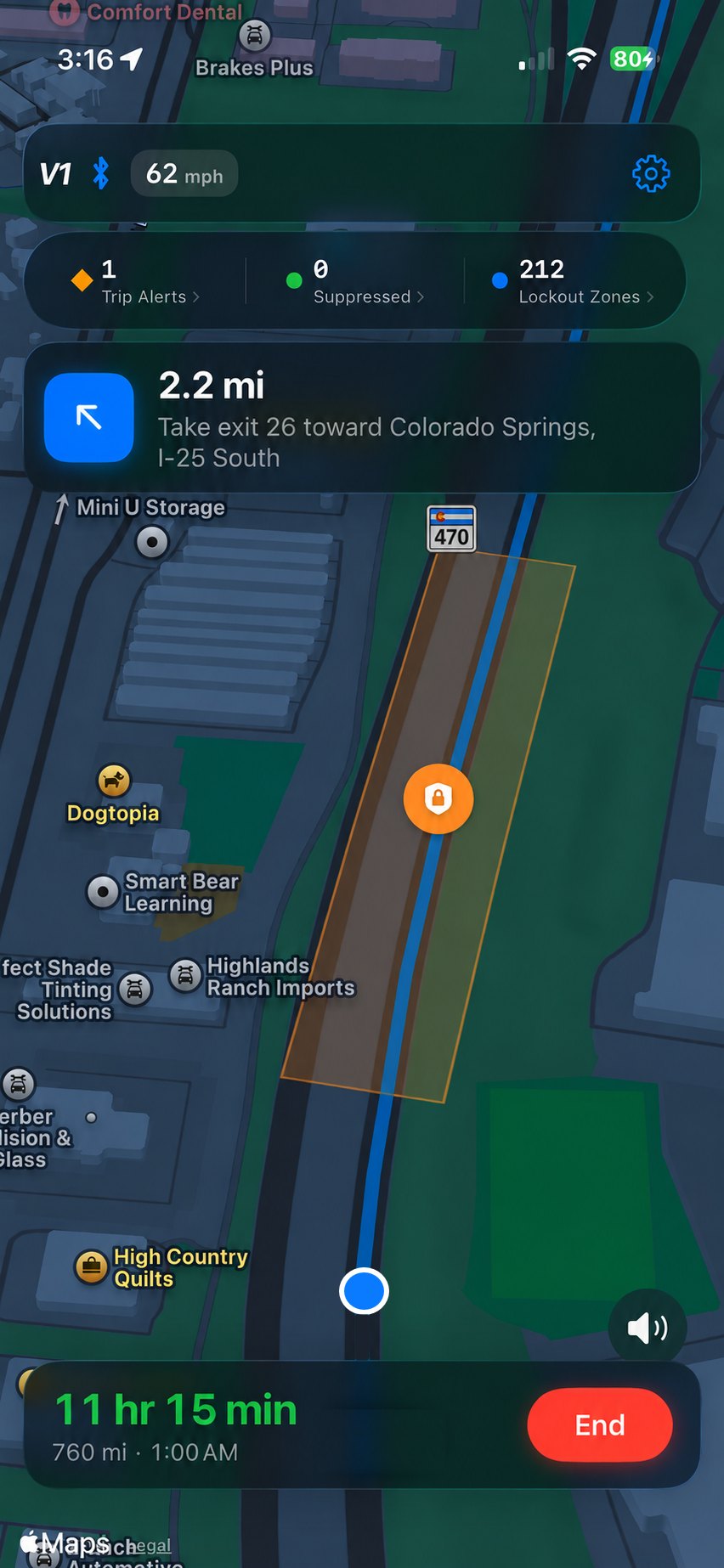
V1Journey records your GPS path while an alert is open and builds the zone as a corridor along that path: 30 m to each side, extended 100 m past both ends. It covers the stretch of road where the signal actually lives, and nothing else.
Drive it again and the zone reshapes itself:
A zone only ever grows. It never narrows on you.
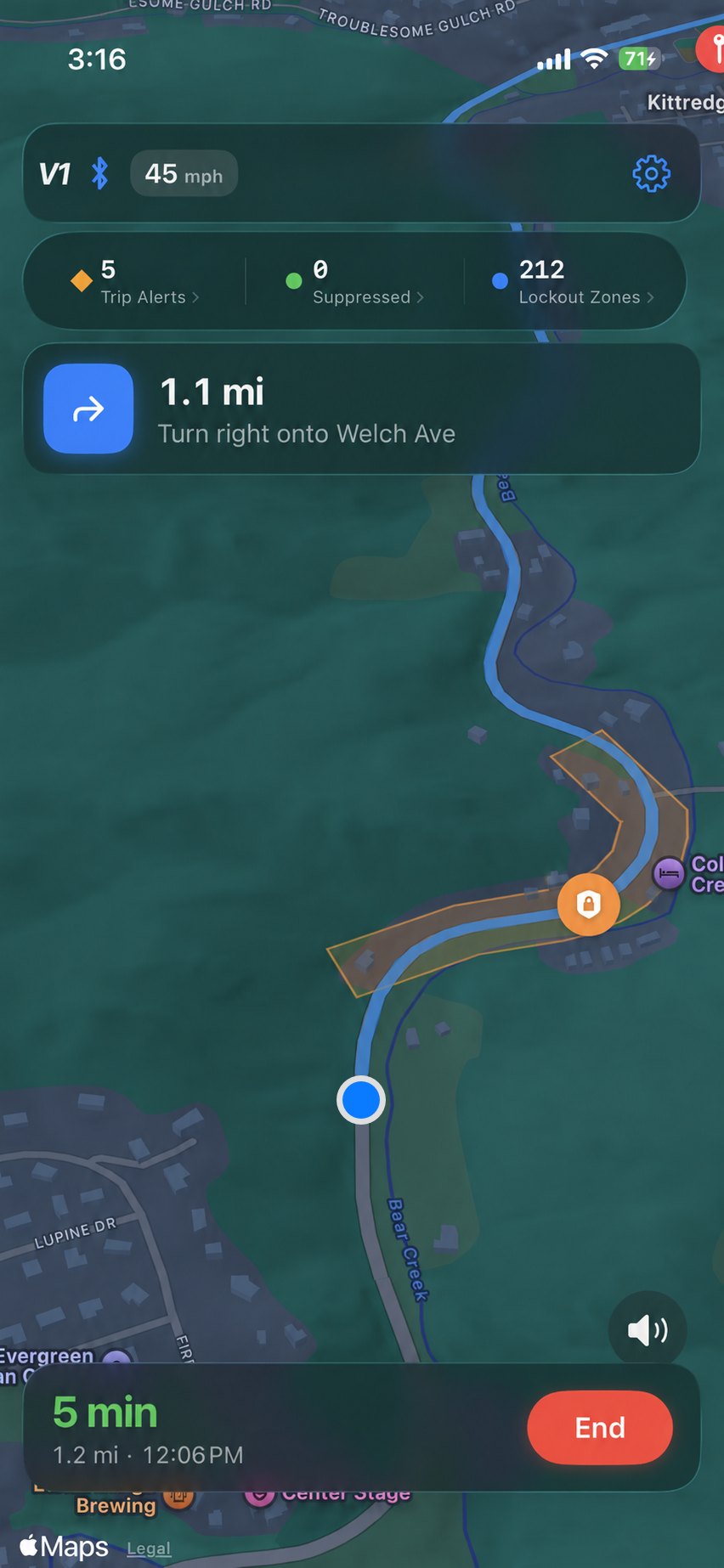
A zone stores the band and an anchor frequency. Matching needs both, plus geographic containment — not a band-wide mute inside a radius. And if any live alert isn't suppressed by a zone, nothing is muted at all. A real threat is never silenced because something else nearby happened to match.
GPS accuracy at the moment the zone was created and at the moment of matching both pad the geometry, so a poor fix doesn't cause a miss.
One unsuppressed alert in the table means nothing is muted at all.
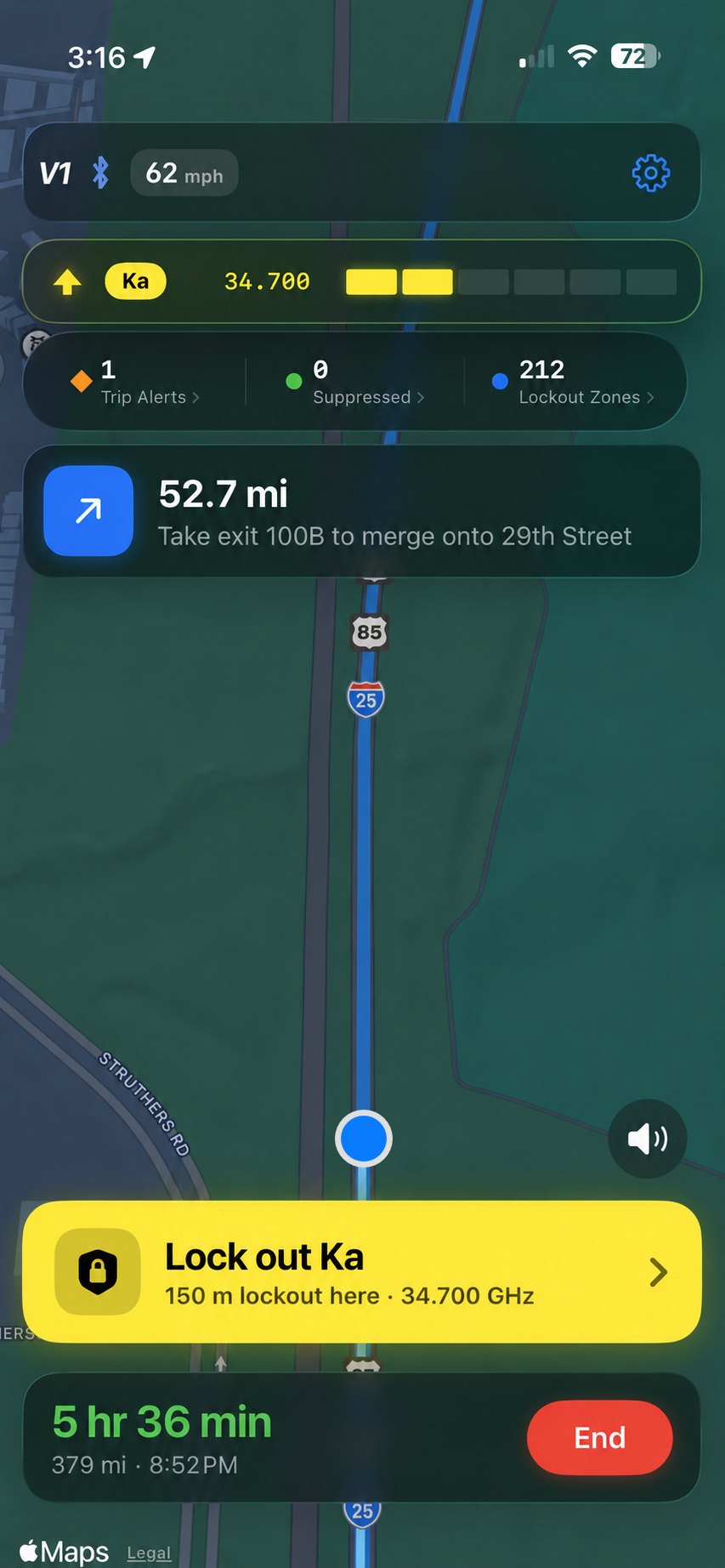
No paywall ever stands between you and a threat on screen. Alert display, map pins, spoken alerts, the alert list in CarPlay, manual mute — all free, on every tier, forever.
A driver shown an upgrade screen instead of a Ka alert is a safety problem, not a conversion funnel.
A dash cam records the whole drive. What it can't tell you is which second of it counted. Your V1 Gen2 can — it knows the exact moment it first detected the radar signal. Star that alert and V1Journey permanently saves that event along with the time, the place, the band, the exact frequency, the direction it came from, and how fast you were going when the signal arrived.
Traffic radar is less surgical than most people picture. NHTSA's own operator training manual works through the arithmetic: a beam emitted at an 18-degree angle is “approximately 80 feet wide at 250 feet from the source … and 320 feet wide at 1,000 feet from the source.” Wide enough that the manual says beam width “is much wider than the roadway making lane selection nonexistent with current R.A.D.A.R. devices,” that most units “display the strongest signal received,” and that “simply pointing the antenna at a specific target vehicle will not necessarily result in a speed reading from only that vehicle.”
None of which is a knock on the officer. It is exactly why the same manual requires the readout to match the operator's own visual estimate of the speed — two independent observations, because one was never meant to stand alone.
V1Journey gives you another piece of objective information from the driver's perspective. It isn't a visual estimate — it's a reliable record.
Saved alerts sit outside the 30-day history — they are kept until you delete them.
Source: NHTSA, Speed Measuring Device Operator Training: R.A.D.A.R. — Participant Manual (2018).
An example record. The fields are exactly what the app stores.
Every app in this category lists what it does. Here is what V1Journey doesn’t — stated here, and stated in the app, because you will find out anyway and it is better you hear it from us.
A laser alert can’t be unmuted by the app.
On any firmware, old or new. That carve-out is in the ESP specification and isn’t something we can change.
Savvy muting is band-agnostic.
Below your threshold it will quiet laser too — exactly like the real Savvy. You can change the threshold or switch it off.
Valentine One Gen2 only.
No other brands, not the original V1, and no Android version (yet). A crowdsourced tip is a timestamp, not a position — your V1 measures what’s transmitting right now instead. Cameras don’t move, so a database wins there, but most camera warnings people actually want are for photo radar, which transmits — and your V1 already hears it. Red-light and plate-reader cameras are the real gap; nothing on your dash catches those.
The V1 setup advisor checks your detector’s own settings and tells you which ones are fighting it — then offers to fix them.
Built on CarPlay's own navigation templates — maneuver cards, travel estimates, route preview, trip guidance. Radar alerts appear on the car's screen with Mute V1 and Lock Out right there on it. A keyboard-free "Where to?" hub puts your recent destinations and favourites first. And a Dashboard card that shows a threat when there is one and the next turn when there isn't.
Turn-by-turn on phone and CarPlay, alternate routes, traffic ETA, search, voice guidance, V1 pairing, the full alert model, map pins, spoken alerts, manual mute, trip alerts, saved alerts, Live Activity, Siri.
Lockout zones, Savvy low-speed suppression, automute, auto-snooze, K-band filtering, 30-day history, and iCloud backup for your saved alerts.
